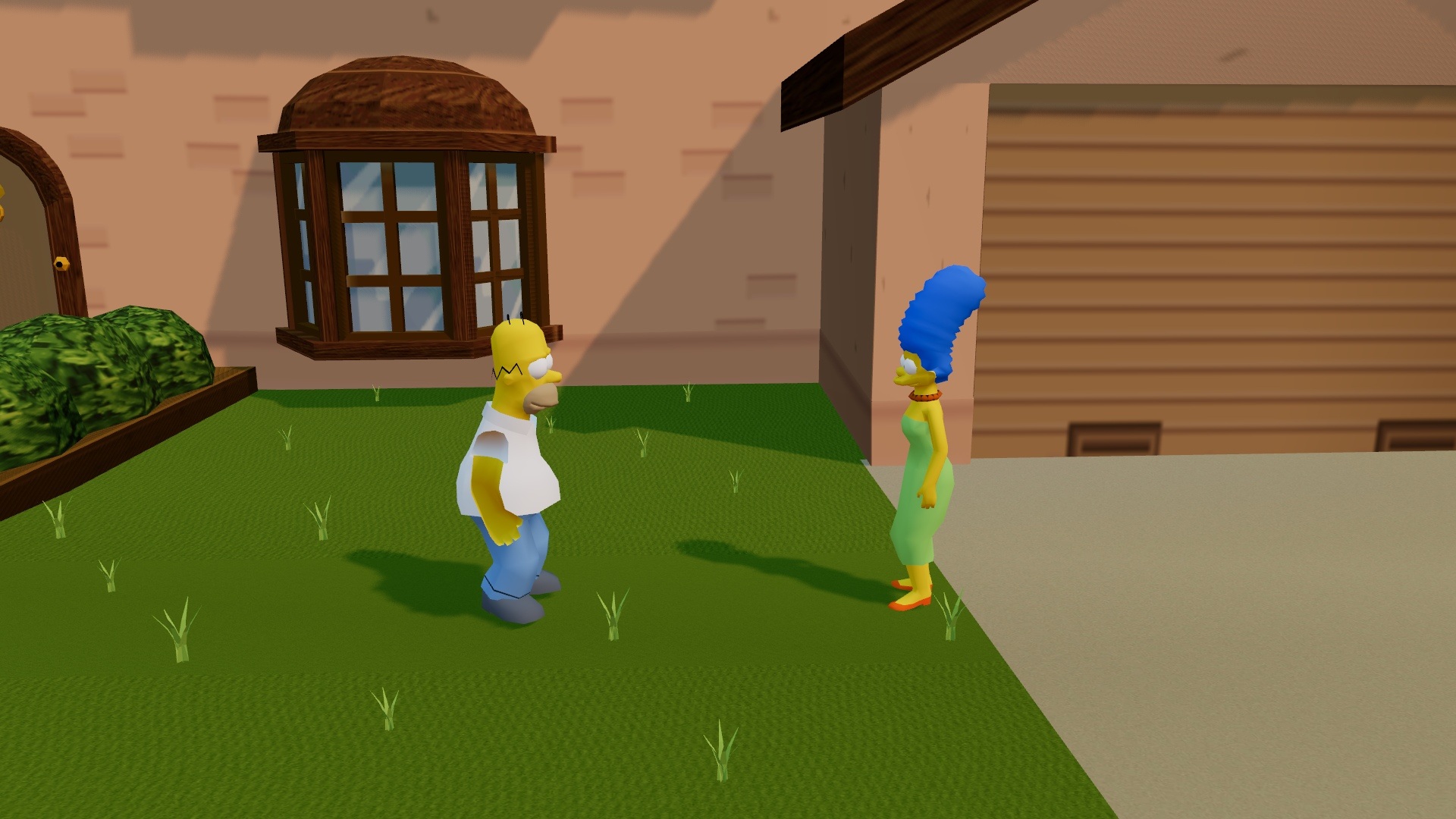
Can You Play The Simpsons: Hit & Run in a Browser?
Community projects bring the driving adventure to modern browsers. The linked WebAssembly port appears in the Radiant Optimizer collection; its creator describes how it runs with WebGL and streams game assets on demand. A working loading screen still does not guarantee every mission runs correctly on your device.
A separate Three.js browser reconstruction documents missions and saves, although full playthrough testing remains ongoing. Controls and download requirements vary by project.
This page links directly to the project rather than promising an embedded player: external hosts may block embedding.
What Is The Simpsons: Hit & Run?
The Simpsons: Hit & Run is a 2003 action-adventure and driving game developed by Radical Entertainment and published by Vivendi Universal Games. It turns Springfield into explorable neighborhoods with traffic, shortcuts and landmarks from the TV show.
The story begins with odd things happening around town: surveillance vans, strange robotic wasps and a suspicious new Buzz Cola. Everyday errands gradually uncover a bigger mystery without losing the show’s humor.
Inspired by open-world driving games, it lets you leave your car, talk to characters, kick objects, collect coins and change outfits. Exploration and comic missions matter more than realistic driving.
How to Play The Simpsons: Hit & Run
Learn the streets before chasing the timers.
- Start the campaign. The original opens with Homer in “The Cola Caper,” a tutorial errand toward the Kwik-E-Mart.
- Follow mission markers. Head to the marker for races, collection tasks, pursuits or timed deliveries.
- Step out and explore. Walk to reach hidden spots, talk to people and collect rewards.
- Keep an eye on your car. Crashes damage vehicles; sharp routes may favor control over speed.
- Return for optional activities. Revisit areas for street races, bonus missions and collectibles.
If you fail, learn which turns cost time before trying again.
The Simpsons: Hit & Run Controls
These are documented keys for the separate Three.js reconstruction, not guaranteed controls for the WebAssembly project above.
| Key | Action |
|---|---|
| WASD / Arrow keys | Drive or move on foot |
| Space | Handbrake in a car; jump on foot |
| E | Talk, enter a building or enter/exit a car |
| Shift | Run on foot |
| F | Kick while walking |
| C | Change the camera |
| Esc | Pause or resume |
Click the game window if keys do nothing. Check that project’s own controls screen.
Things to Do Around Springfield
Follow the story or take the scenic route
The campaign in The Simpsons: Hit & Run has seven levels spread across three versions of Springfield. Between missions, detours reveal shortcuts, hidden cars and visual gags.
Collect coins, cards and vehicles
In the original, coins buy vehicles and outfits, sometimes required for missions. Smashing Buzz Cola crates and wasp cameras can earn more. There are also seven collector cards in each level, for 49 across the game. Browser reconstructions may not reproduce every collectible.
Manage the Hit & Run meter
Crashing into traffic, damaging property and causing trouble can raise the game’s Hit & Run meter. Fill it and the police pursue you. Avoid collisions during timed missions, and escape any pursuit before returning to your objective.
Which Characters and Areas Can You Explore?
The seven chapters rotate between Homer, Bart, Lisa, Marge and Apu: Homer leads Levels 1 and 7, Bart 2 and 6, Lisa 3, Marge 4 and Apu 5. Locations include residential Springfield, the downtown area and the entertainment district, with familiar places connected by drivable roads.
The Kwik-E-Mart and nuclear power plant make The Simpsons: Hit & Run feel like a tour of the TV show. The three main areas are revisited with different missions, characters and details rather than forming one seamless map.
Tips for a Better First Run
- Prioritize control over speed. Brake before sharp turns; scraping walls wastes time.
- Look at the radar, then the road. Use it for direction, not as a substitute for watching traffic.
- Save coins for useful purchases. Some missions require a vehicle or outfit purchase.
- Learn one shortcut at a time. Explore shortcuts without a timer before using them in a race.
- Keep optional collecting separate from timed tasks. Collect distant cards and gags when you are not racing a clock.
- Change your approach after a failure. Check your route and car condition first.
A simple first-session route
Begin near the Simpson family home and take the tutorial drive toward the Kwik-E-Mart. Rather than racing through every intersection, notice where the side roads reconnect with the main street. On your next free-roam trip, stop for a nearby coin pickup and look for a wasp camera before starting another timed objective. You will learn more about the neighborhood from that short detour than from repeatedly rushing through the same turn.
These habits help whether you’re discovering Springfield for the first time or revisiting The Simpsons: Hit & Run after years away.
Browser Loading, Performance and Save Data
Some browser builds stream large assets, so the first visit can take time. Use a current desktop browser, finish loading and enable hardware acceleration if WebGL is required.
If the window stays blank, open the project’s original page. Click inside for keyboard focus. Don’t clear browser storage casually: locally saved progress may disappear.
Some builds require assets from a game copy you own. Follow each project’s documentation; an accessible web port does not remove the original game’s copyright restrictions.
Why Do Players Still Remember It?
The Simpsons: Hit & Run succeeds because driving, exploration and TV-show humor support one another. A routine delivery becomes more entertaining when it sends you past a familiar landmark, and even a short detour can feel worthwhile because Springfield is full of small references.
It offers timed challenges alongside unhurried exploration. Some missions are repetitive and later timers can be demanding, but revisiting this cartoon neighborhood still has its appeal.
Frequently Asked Questions
Is The Simpsons: Hit & Run playable online?
Unofficial browser projects exist, including the WebAssembly link at the top of this page. Availability and playable scope depend on the project and device. This is not an official online edition.
Can I play The Simpsons: Hit & Run without downloading anything?
You may not need a traditional installer for a browser project, but your browser still downloads game data. Some implementations also require files from a legally obtained copy of the game.
Is The Simpsons: Hit & Run an open-world game?
Yes, although its world is divided into seven levels using three main Springfield areas. You can drive freely within an area between missions; it is not one uninterrupted city map.
Does The Simpsons: Hit & Run have multiplayer?
The original’s main story is single-player, with a separate local multiplayer bonus racing mode. A browser port may not support it.
Can I play on a phone or tablet?
It varies by port. For the linked WebAssembly project, start with a desktop or laptop keyboard.
How many levels and playable characters are there?
The original game has seven story levels and five playable characters: Homer, Bart, Lisa, Marge and Apu. Browser projects may differ in how completely they reproduce the campaign.
Will my progress be saved in the browser?
It depends on the implementation. Some browser reconstructions support local saves, but do not count on save persistence in an unverified project. Check its current instructions before a long session.
Is this an official Simpsons game website?
No. This is an independent guide linking to third-party community projects. The original game and its characters belong to their respective rights holders; this page is not affiliated with them.
Explore More Classic Browser Games
Prefer a different kind of action? Try the QuakeWorld browser arena for fast multiplayer matches, or return to the Radiant Optimizer game collection to browse other projects and check their loading requirements before launching.